Convert Microsoft Office Volume to Retail

If you already converted Microsoft Office to Volume License and you want revert to Retail License for activating office with Retail Key , you need to follow these methods:
Convert Microsoft Office Volume to Retail with Office Tool Plus
1 – Download Office Tool Plus
2 – Extract and Run “Office Tool Plus.exe”
3 – Select Activate and Uninstall all current installed License

4- After Uninstalling License, Press Install Button and Select Office Version and license

5- Then Press OK, Wait for Installation Process
6 -Done,now you can activate office with Retail Key
Convert Microsoft Office Volume to Retail with Office 2013-2021 License Setup
1 – Download Office 2013-2021 License Setup
2- Extract and Run “O15-21LicSetup.exe”
3 – Unselect all License
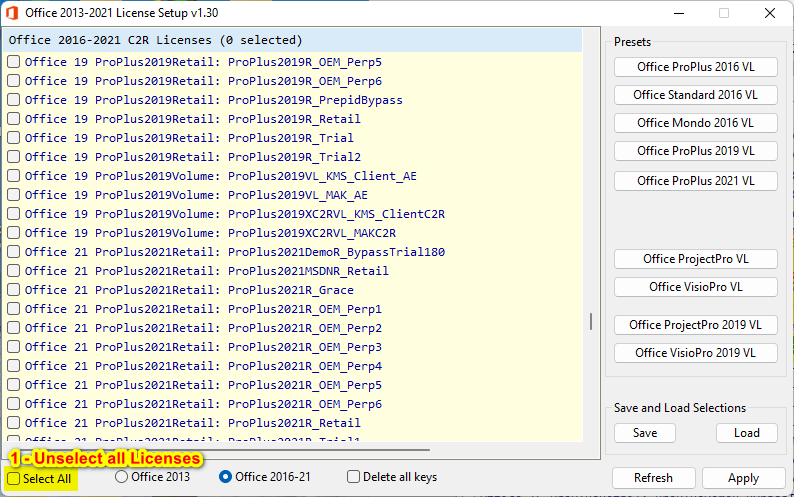
4 – After , select retail license (version is your choice, here I selected 2021 retail version)
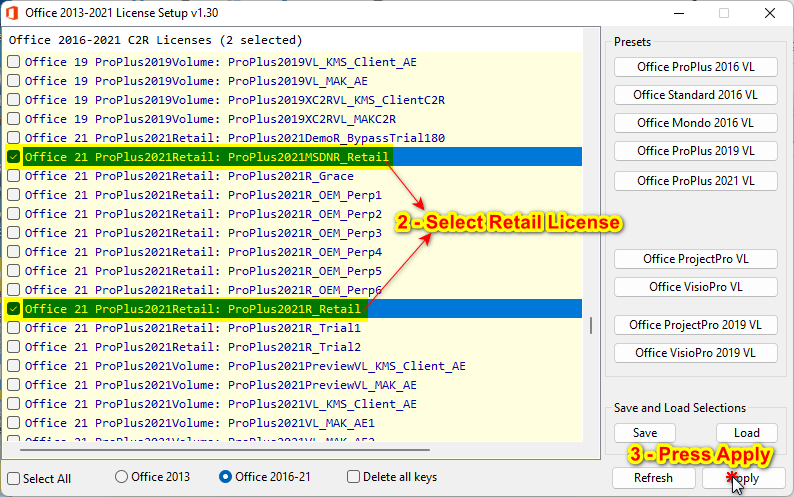
5 – Press Apply button
6 – Wait for finishing the process, after that, your license is changed to Retail
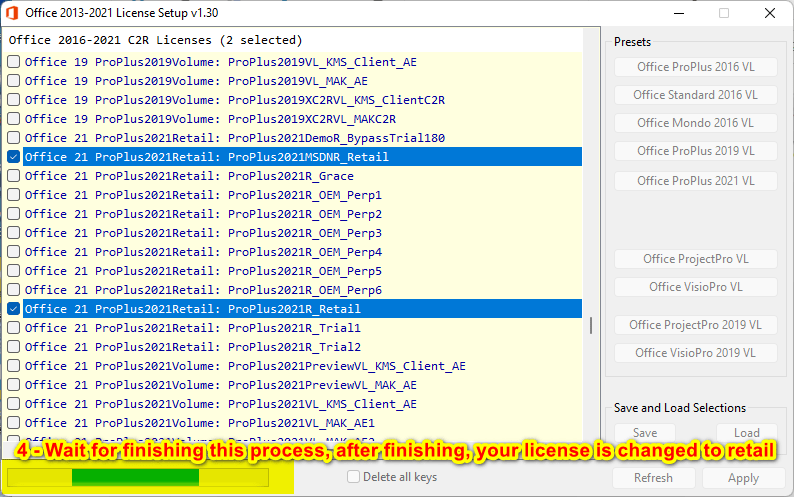
7 -Done,now you can activate office with Retail Key